The methodology of building websites is moving to its next stage, which combines the experience of earlier development cycles: from the beginnings of the internet, through years of standardisation and adaptation to new technologies (browser engines, responsiveness), to recent years, when we have proven patterns, HTML/CSS/JS libraries such as Bootstrap and proven CMS systems such as WordPress at our disposal. In the last year, a new technological perspective has appeared in the form of artificial intelligence available to the public, for example through OpenAI. Preparing a professional website is a laborious procedure that has to meet many requirements (see our website launch checklist), which is why this direction matters so much for improving the service.
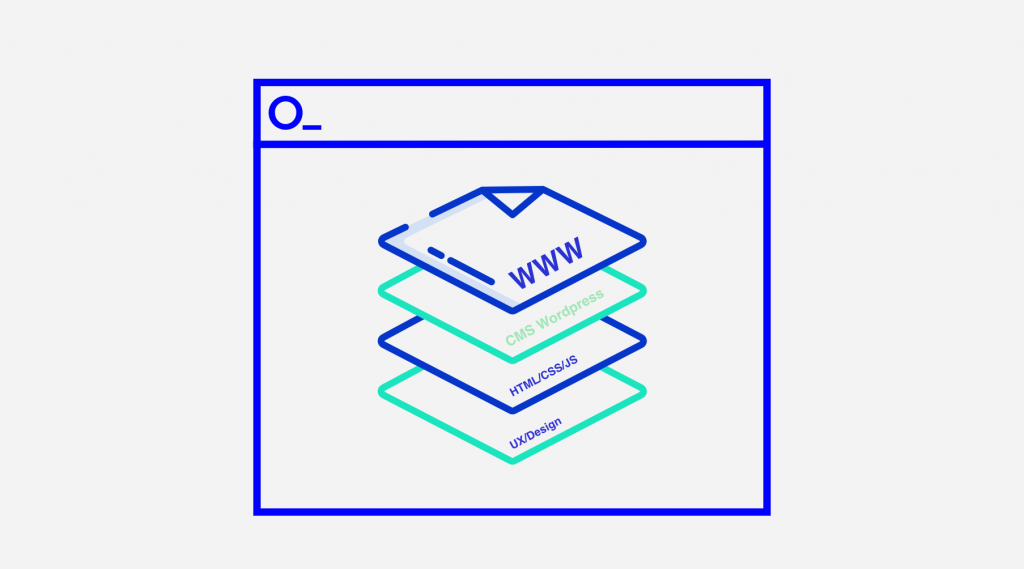
The classic process of building a classic website
The first step is always the initiative and idea of the project owner, for example a client who wants something built. So we have an idea, a need, which is delivered for the client by a web developer, who may also work as a whole team: project manager, UX designer, frontend developer, programmer, implementation specialist and server administrator.
The whole cycle of building a website can take from 14 to 60 days, a very distant time horizon for people who need the service right away. A long delivery time also means high costs, because every specialist contributes to the project.
Most of the elements we see on websites are familiar to us: we easily recognise a menu, a gallery, a text block or a form. They differ in details, and it is precisely these details that generate the cost of the work.
A huge share of the work on a website happens at the initial stage, the visual design. This is the critical point between the client and the website contractor. It is the client who has the last word and the final say in approving the visual concept. For this reason, the other specialists involved in building the website have to take the whole designed solution as given. This way of working means an individual approach to every project, and therefore implementation time and costs.
How is the new approach different from “ready-made templates”?
A ready-made website template is available for a small fee or even completely free, but from the very start we are limited by what the template can do, so customising it can also be very time-consuming and problematic.
How have we done it so far?
The basic process of building a website was divided into independent stages, or sprints, which resulted in a complete product.
| # | Stage | Specialists involved | Average working time |
|---|---|---|---|
| 1. | Needs analysis, concept and functional wireframes | Project manager, UX designer, web designer | 10-20 days |
| 2. | Visual design | UX designer, web designer | 5-10 days |
| 3. | Coding, frontend development | frontend developer | 5-10 days |
| 4. | Implementation | programmer, copywriter, implementation specialist | 5-10 days |
This process will be shortened to 1 day for the Coding and Implementation stages.
What do we want to do?
We will prepare an automated template built from reusable modules (sections), pre-configurable by a designer and pre-installable through a web browser. To do this, we will build components in Figma together with usage instructions for the UX designer, who will take on the main work of creating the website, which will shorten the implementation time. Since responsiveness arrived on the web, such patterns have become widely used, because the assumption is to stick to a 12-column grid.
A standard website will therefore be created much faster, because the result of the designer’s work will be a visualisation of the website (as before) plus a configuration file which, once imported, produces a website according to the design with a full package of rich features: a fully fledged website built on the best patterns, based on the WordPress CMS.
Widgets available in the basic version:
- Image slider
- Video widget
- Text and image widget
- Text widget
- Full-width header
- Tiles widget (products, posts)
- FAQ widget
- Photo gallery widget
- News widget
- Contact form widget
- Table widget
- Data carousel widget (gallery, news)
What do we keep in mind?
1. Performance and SEO
The biggest performance gains come from optimising the main template, configuring the server properly and optimising the images added to the website content. All of this can be verified here: https://web.dev/learn/performance
2. Security
Keeping plugins up to date, minimising the use of plugins by using native WordPress and ACF features, and monitoring and securing WordPress.
3. Access to the code
The code generated by Automated Web Template will be fully available for download or in a version pre-installed on the server. This gives you full independence and the ability to make changes.