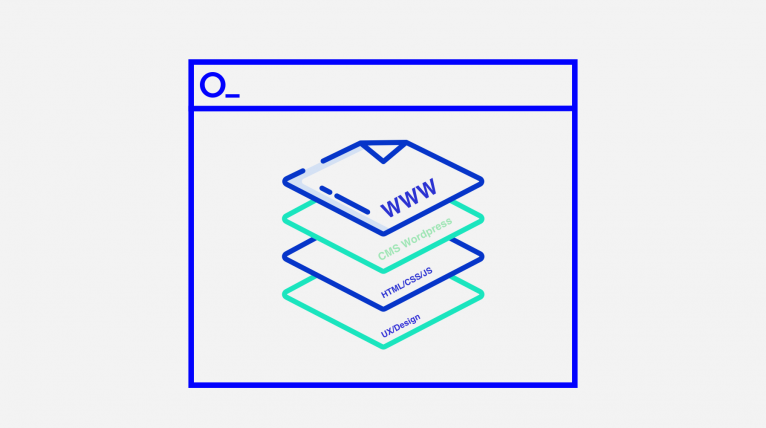
WordPress lets you build a website whose content can grow without calling in a developer for every small change. It works well for company websites, expert portals, directories and online shops, as long as its content model fits the processes you need. A custom theme and well-planned ACF modules give editors freedom while protecting the consistency of the layout and the brand. Performance and security depend on the quality of the code, plugins, hosting, updates and a tested restore process. At Okinet, we design, integrate and maintain WordPress so that it stays easy to use even as the website grows.
WordPress: a website your team can easily grow
WordPress can power a company website, not just a blog
WordPress manages content, users, media and publishing. On this basis you can build a service website, a large expert site, a directory, a portal or a WooCommerce shop. Editors work in the admin panel, while the design and features can be tailored to the company’s processes.
The biggest benefit is your team’s independence when making everyday changes. Well-designed fields and modules let editors publish new pages without piecing together random blocks and without calling in a developer for every small change.
At Okinet, we design the content structure, a custom theme and the integrations you need. We do not add a plugin for every problem. First, we check what WordPress should handle and what is better left to an external system.
When WordPress is a sensible choice
WordPress is a good fit for websites where content changes regularly and is managed by marketing, sales or an editorial team. It works well for many page types, articles, case studies, events, knowledge bases and simpler directories.
If the core of the product is custom calculations, a complex workflow and a large number of real-time operations, a dedicated application may be clearer. WordPress can still handle the public part or the content library, but it does not have to take over the whole process.
We base the decision on user roles, the data model, integrations, the publishing plan and maintenance. That way, the platform’s popularity does not replace an analysis of whether it fits.
A custom theme and ACF modules give you control over content
A custom theme lets you reflect your brand identity and optimise the code for a specific website. Instead of a general-purpose page builder, we prepare a set of sections that editors actually need.
ACF PRO can provide fields for headings, cards, specifications, relationships and repeatable modules. It is a plugin, not a feature of WordPress itself. We name fields and write instructions for them so that the person publishing understands how they affect the page.
Limits in the editor can be an advantage: they protect the content hierarchy, spacing and mobile behaviour. At the same time, we leave freedom where it is needed, for example in the order of sections, background variants or the choice of call to action.
Custom content types keep the website's growth organised
A service, a case study, an expert, a location and an event each have different data from a regular page. Custom content types and taxonomies let you describe them separately and use them in many places across the website.
One case study can appear in the portfolio, on an industry page and next to a related service without copying content. Changing the source data updates every view. This model also makes it easier to create filters, archives and structured data.
We agree the structure before building templates. If everything is stored in one text field, later migration, automation and integration will be harder. Well-organised content is part of the product’s architecture.
WooCommerce, integrations and the platform's limits
WooCommerce extends WordPress with products, a basket, orders and an ecosystem of extensions. It suits typical online selling well, as well as projects where content and commerce are closely linked.
Unusual B2B price lists, multiple warehouses, complex returns processes or selling across many channels may require extra modules and integrations with ERP, WMS, PIM or marketplace systems. These are scenarios to be designed, not a set of features available straight after installation.
When there are many custom rules, we compare WooCommerce with an e-commerce platform or a bespoke solution. The aim is a predictable cost for future changes, not squeezing every process into one tool.
REST API and headless WordPress
The WordPress REST API lets you make content available to a mobile app, a JavaScript front end or another system. In a headless setup, the WordPress admin panel remains the place where content is edited, while the public interface runs on a separate technology.
Headless gives more freedom on the front end and can make it easier to share content across channels. It also brings two environments, separate deployments, handling of previews and caching, and extra SEO decisions. It is not automatically faster or cheaper.
Classic WordPress with a custom theme is often simpler for most company websites. We choose headless when it is justified by multiple channels, application requirements or an existing front-end ecosystem.
SEO, performance and Core Web Vitals in WordPress
WordPress makes publishing easier, but organic visibility depends on content, information architecture and technical quality. We take care of semantic headings, metadata, canonical URLs, the sitemap, internal linking, redirects and correct HTTP status codes.
Performance is affected by the theme, plugins, images, fonts, database queries, caching and hosting. We limit the code loaded on every page, prepare responsive media and measure key templates, rather than relying on the home page score.
An SEO plugin helps manage settings, but it does not replace a content strategy or technical quality. We treat Core Web Vitals as a set of user experience indicators, not a single promise of a position in Google.
WordPress security and maintenance
A secure WordPress site needs an up-to-date core, theme and plugins, limited permissions, login protection, an encrypted connection and sensible server configuration. We remove unused components, because they can also increase the attack surface.
We test updates in a staging environment, especially when the website has custom integrations or a shop. Backups are stored separately and we test restoring them. Simply knowing that a backup “runs every day” does not tell you whether you can actually get back up and running from it.
Monitoring uptime and errors shortens the time it takes to spot a problem, but it is no promise that nothing will ever fail. We agree the scope of maintenance based on how critical the website is, how often it changes and the response time you need.
Migration, multilingual sites and Multisite
Migrating to WordPress covers content, media, URLs, metadata and redirects. Before launch, we compare the number of documents, links and the most important search engine entry points. This way, changing CMS does not mean needlessly losing the structure you have built up.
A multilingual website requires decisions about URLs and how to translate fields, menus, media and system content. Popular plugins help with handling languages, but the publishing process and responsibility for keeping each version up to date have to be planned separately.
WordPress Multisite lets you manage a network of websites from a single installation. It can suit brands or branches that share a common standard. However, because updates and failures can affect all the sites at once, it is not the best choice for every group of independent websites.
WordPress, Webflow, Drupal or a custom CMS
WordPress offers a large ecosystem and a flexible way to extend it. Webflow can speed up building a lighter marketing website as a hosted service. Drupal is often considered for complex content structures and permissions. A custom CMS gives you full control, but you have to pay for building and maintaining your own admin panel.
We compare ease of editing, integrations, security requirements, data export options, the cost of changes and the skills available on the market. The price of the first build is only part of the decision: the website will be updated for years to come.
If your current WordPress site is slow or hard to develop, we do not assume straight away that you need a new platform. An audit will show whether the problem lies in the content architecture, the theme, plugins, hosting or how well the CMS fits.